Sub-tabs & Navigation (External References)
When an answer cites another document, CORA opens it in a sub-tab so you can follow references without losing your place. Sub-tabs are the primary way to navigate external references safely and traceably.
How sub-tabs work
- Start in a thread (Explore, Interpret, or Project Context)
- Click an external citation (a reference to another document)
- CORA opens the referenced document as a sub-tab
- Continue in that document context, with citations and evidence available there as well
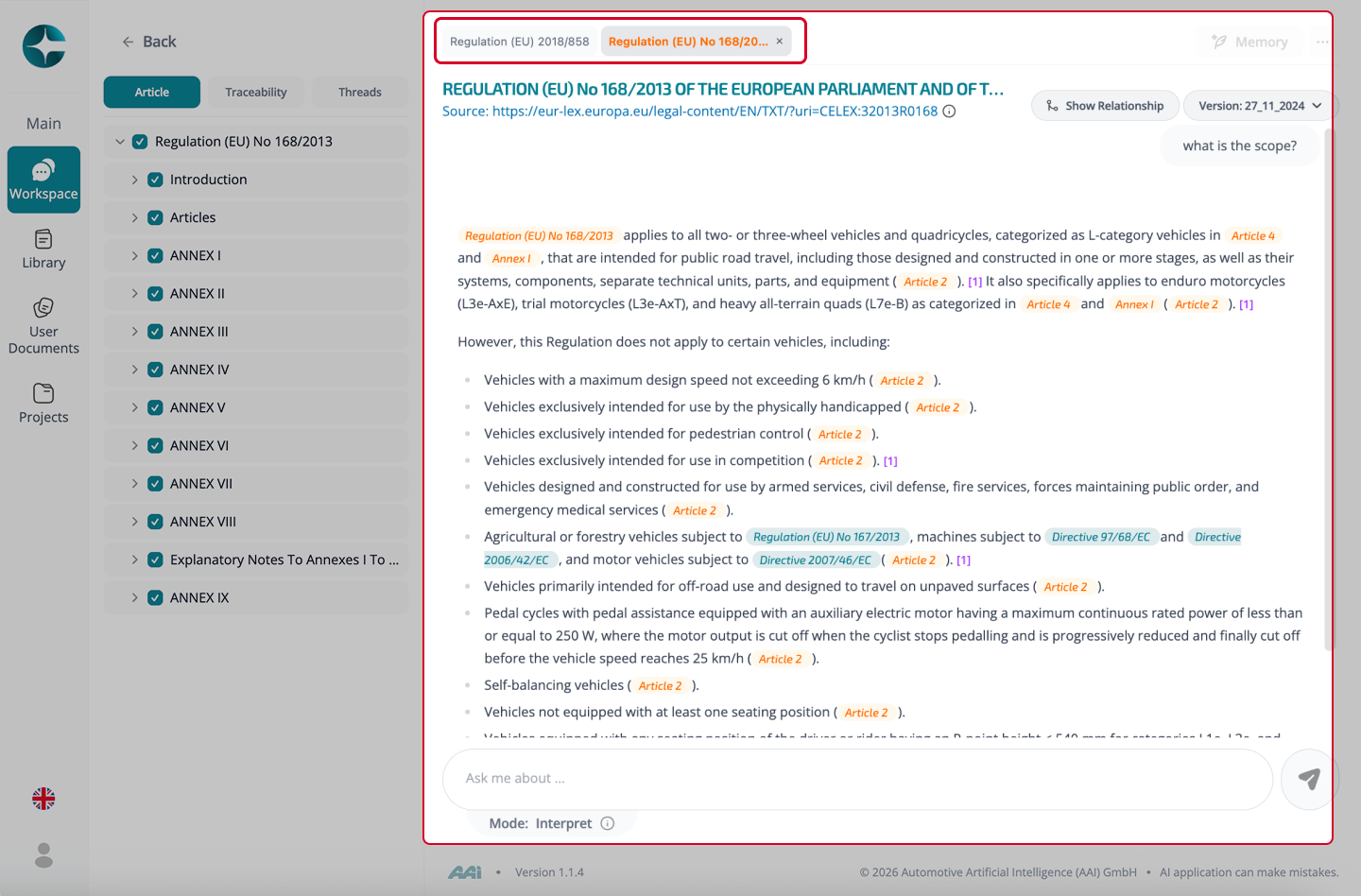
Why sub-tabs matter
Sub-tabs preserve traceability when you:
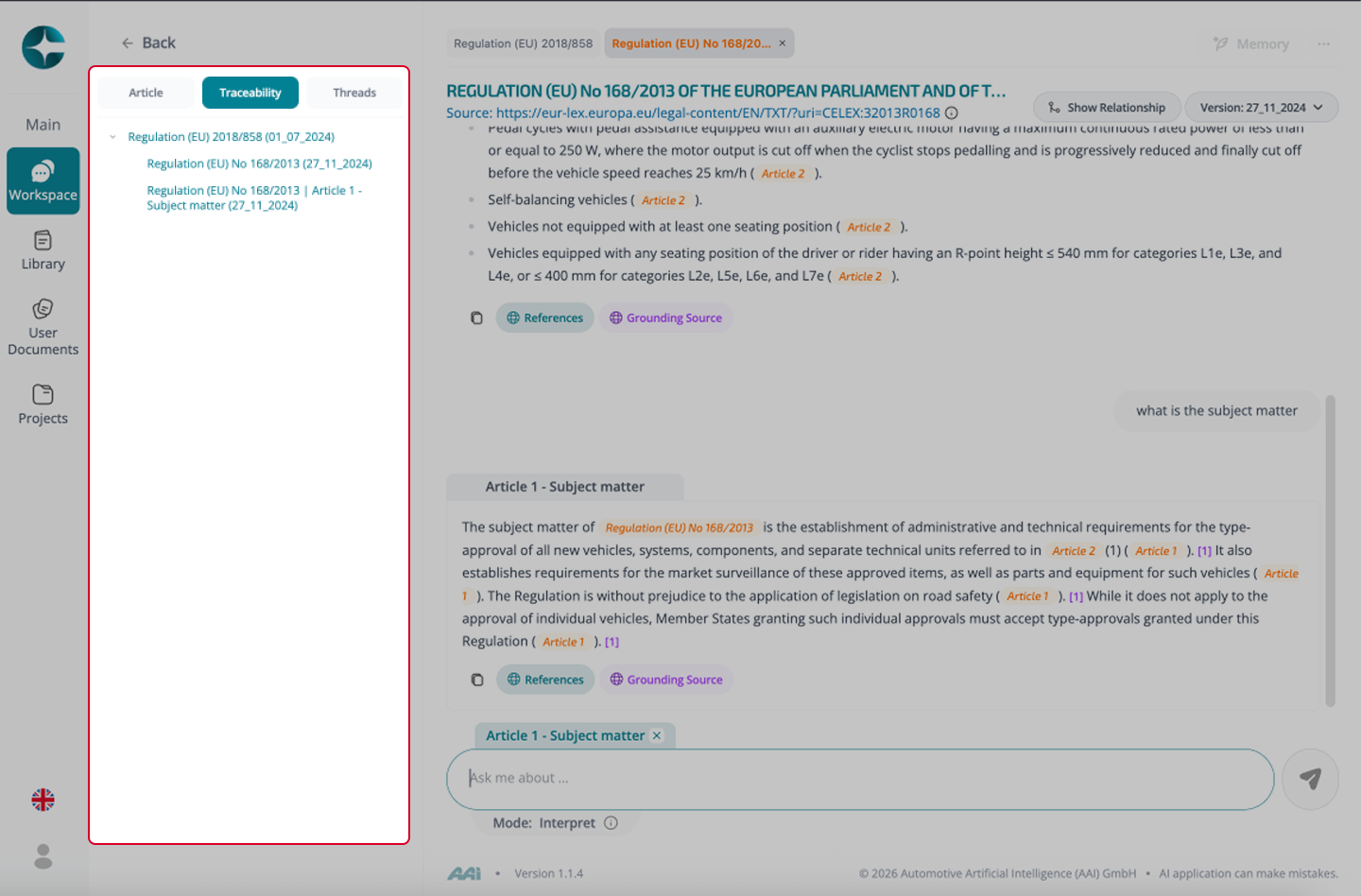
- Follow a chain of references across multiple documents
- Compare sources side-by-side (by switching tabs)
- Move back and forth without re-searching
Best practice
If you are repeatedly jumping across many sources for a defined system/program, move the work into a Compliance Project. Projects give you a scoped corpus, shared instructions, and persistent artifacts.
Tip
Use the Traceability panel to revisit previously opened sources, jumps, and focus states without losing your path.
See: - Traceability Panel (History and Navigation)