Workspace Tour
This page explains the main areas of CORA and how to navigate between Explore, Interpret, and Project Context.
Home (Mode Launcher)
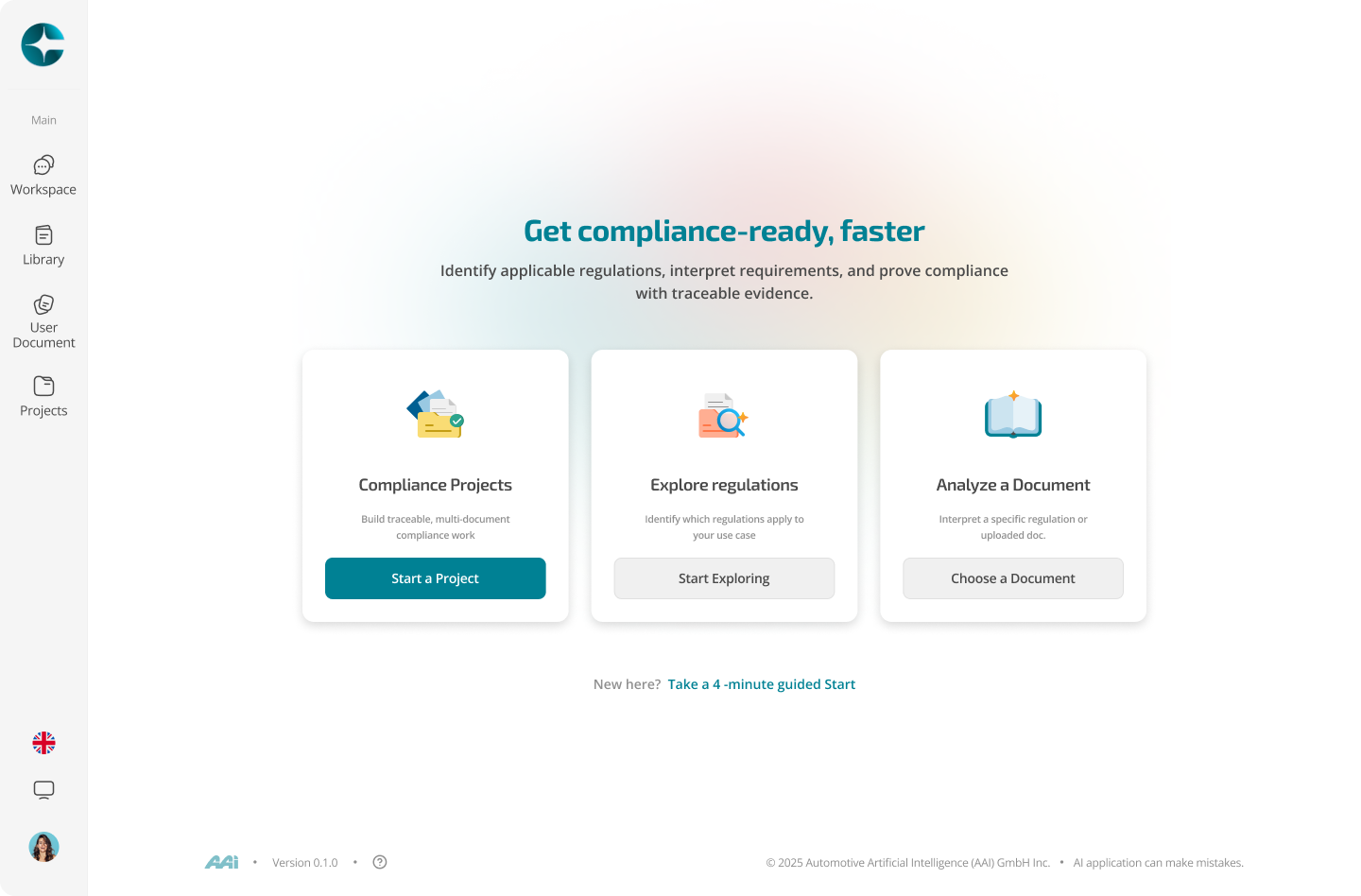
When you land in CORA, you start from the Home launcher. This is intentional: CORA is not “one chat.” It is three purpose-built modes with different scope rules.
You will see three entry points:
- Explore — discover what applies (broad discovery across sources)
- Interpret — get answers grounded in a single selected document/version
- Project Context — work inside a project across multiple linked documents
Rule of thumb:
- If you don’t know what applies yet → Explore
- If you’re working inside one document version → Interpret
- If you’re executing within a scoped program → Project Context
In Explore
You can:
- Start a new Explore thread
- Ask broad scoping questions
- Follow citations and open referenced sources
In Interpret
You can:
- Select a specific document (Library or User Document)
- Lock the context to that document version
- Ask clause-level questions with version-locked citations
In Project Context
You can:
- Open a project
- Link documents (Library + User Documents)
- Start threads that reason only over the linked project corpus (plus project instructions), store notes & requriements.
Left navigation
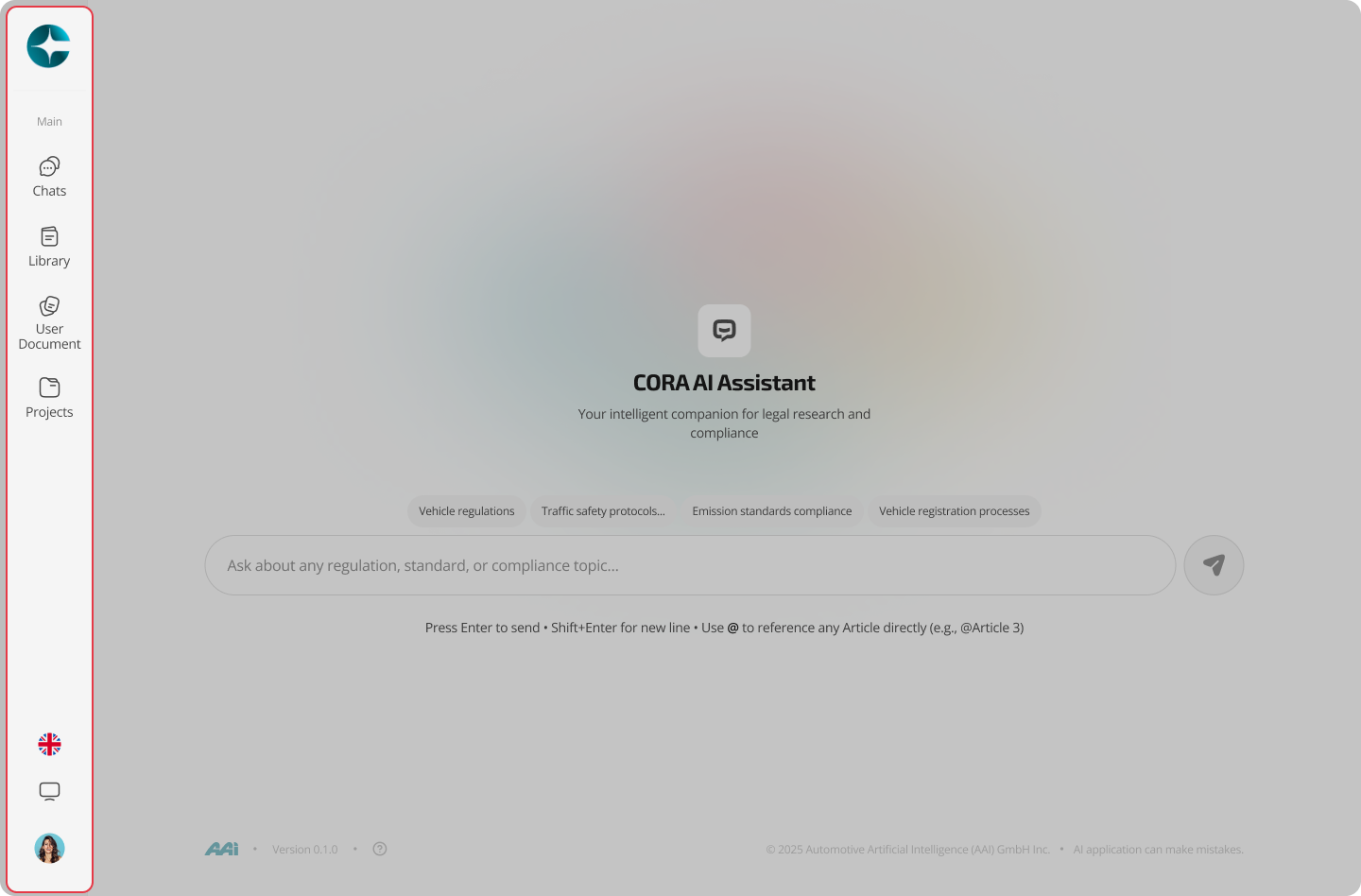
The left navigation is your primary way to move through CORA and access persistent assets.
- Home: return to the mode launcher at any time
- Workspace: your recent threads across modes (with their mode label)
- Library: canonical regulations/standards inside CORA (structured, versioned, multilingual)
- User Documents: your uploaded files (interpretable and citeable)
- Projects: multi-document workspaces with shared instructions, linked documents, and stored artifacts
Where your work is saved
CORA saves work differently depending on what you’re doing—this is a feature, not a limitation.
Always saved (across all modes)
- Threads (including the mode they were created in)
- Citations / grounding evidence used in answers
- Navigation history (opened references, explored paths)
Saved in projects (Project Context only)
- Project instructions and scope
- Linked documents (your project corpus)
- Notes and requirements created inside the project
- Project-level traceability across multi-document reasoning
Practical implication: if the output must survive handover/audit, do the work in Project Context and store artifacts there.