Chat with a User Document
Chatting with a User Document starts an Interpret-mode thread grounded in that document’s content.
Start a chat
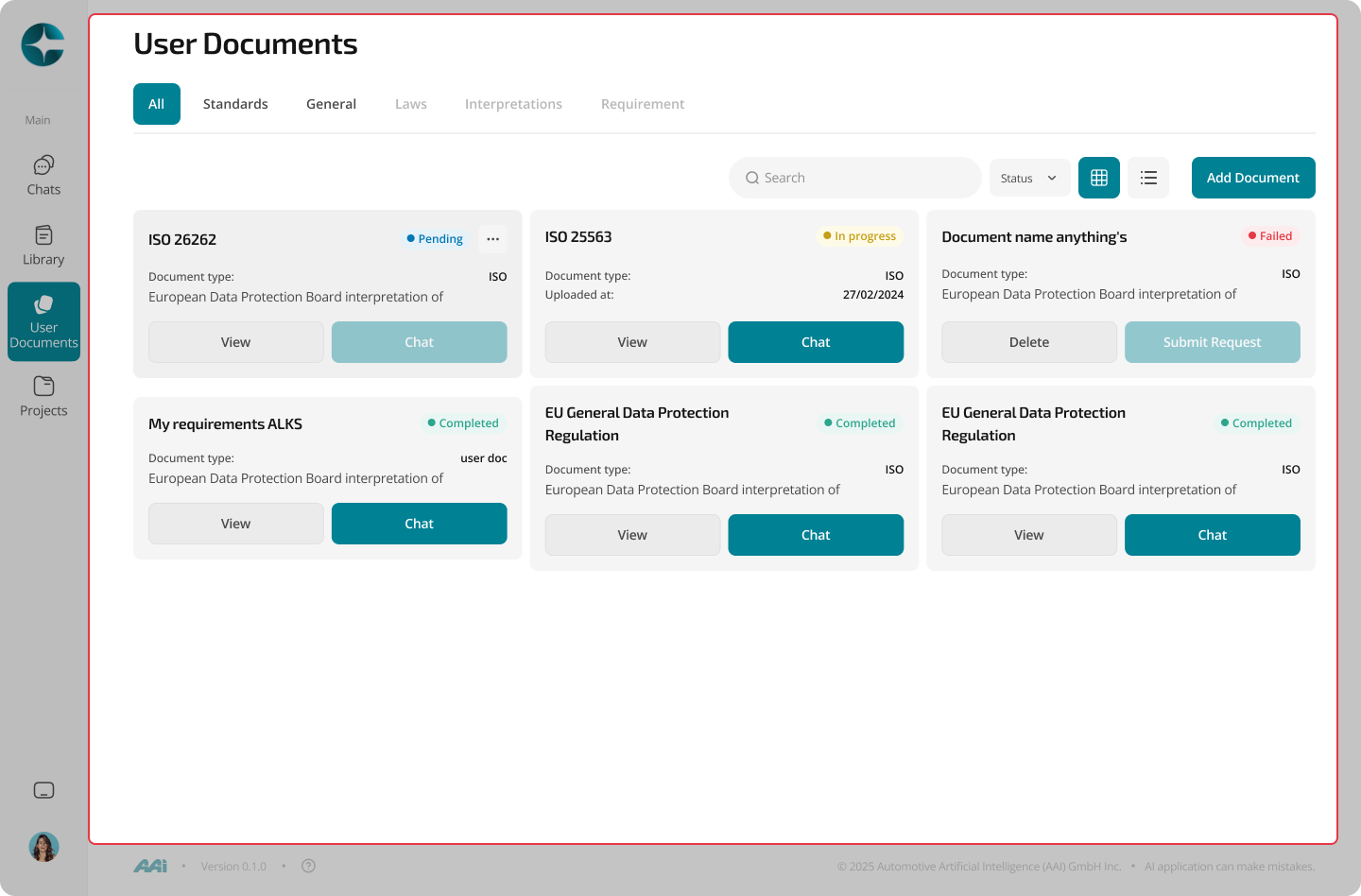
- Open User Documents
- Select a document
- Select Chat to start chat with document
View document content
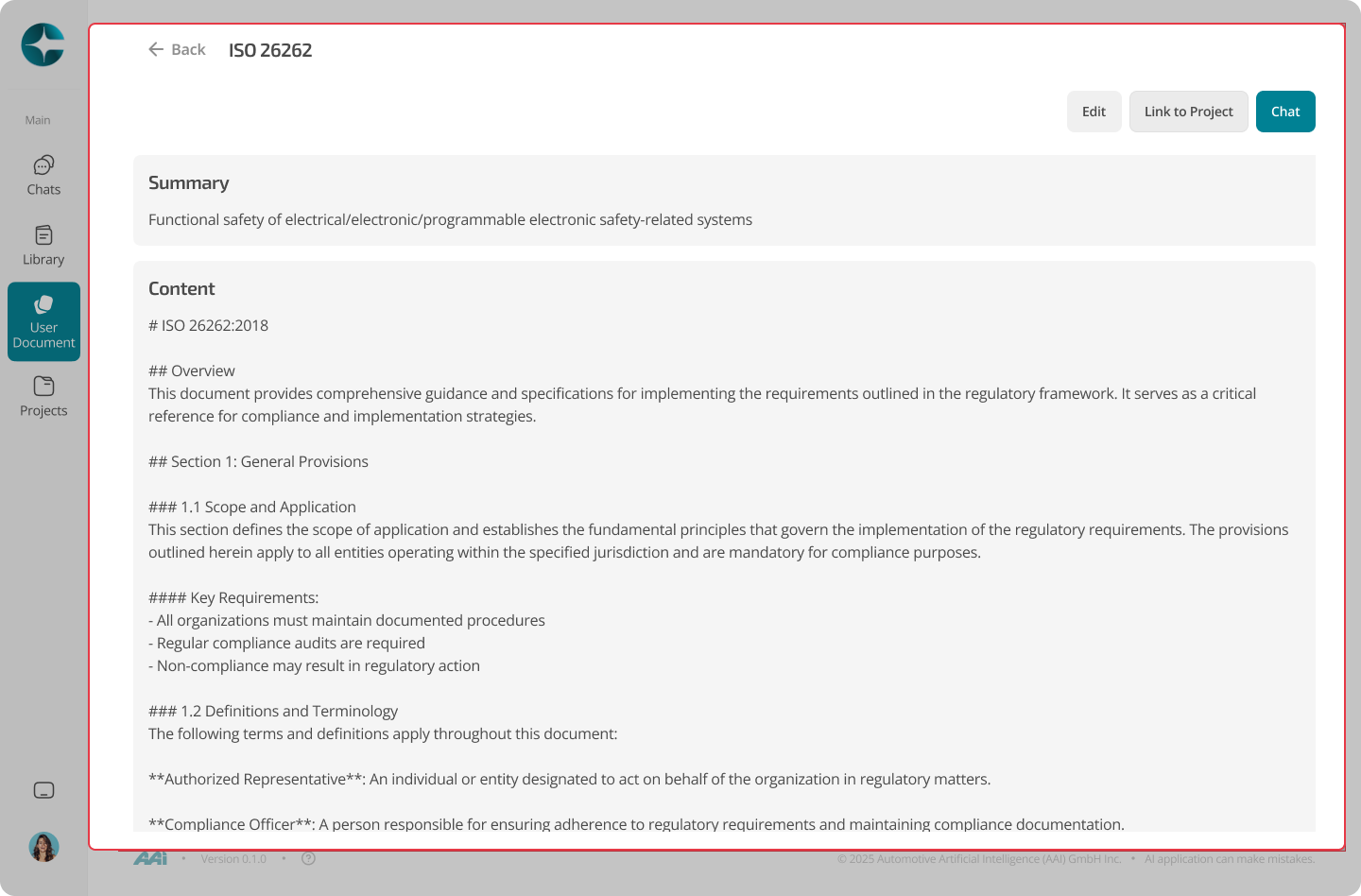
Select a document from the list to open the document viewer.
The viewer lets you: - Read the document content directly - Scroll and inspect sections before starting a chat - Decide whether to analyze or reference the document further - link document to the project
How answers are grounded
In a User Document chat:
- CORA uses the uploaded document as the primary source
- Answers are grounded only in that document
- Inline citations point to the exact supporting text
You can open citations to inspect the referenced content directly.
Best practices
- Ask questions that stay within the scope of the uploaded document
- Use citations to verify wording and assumptions
- If you need to combine User Documents with Library sources, create a Project and link them together
Tip
For multi-document reasoning or persistent compliance artifacts, use a Project and link both Library and User Documents.