Link Documents to a Project
Projects become powerful when you link the documents that define the project scope. Linked documents are the only sources used for Project Context answers.
Where linked documents appear
Inside a project, linked documents are shown in a dedicated section. This list represents the active scope for all Project Context threads.
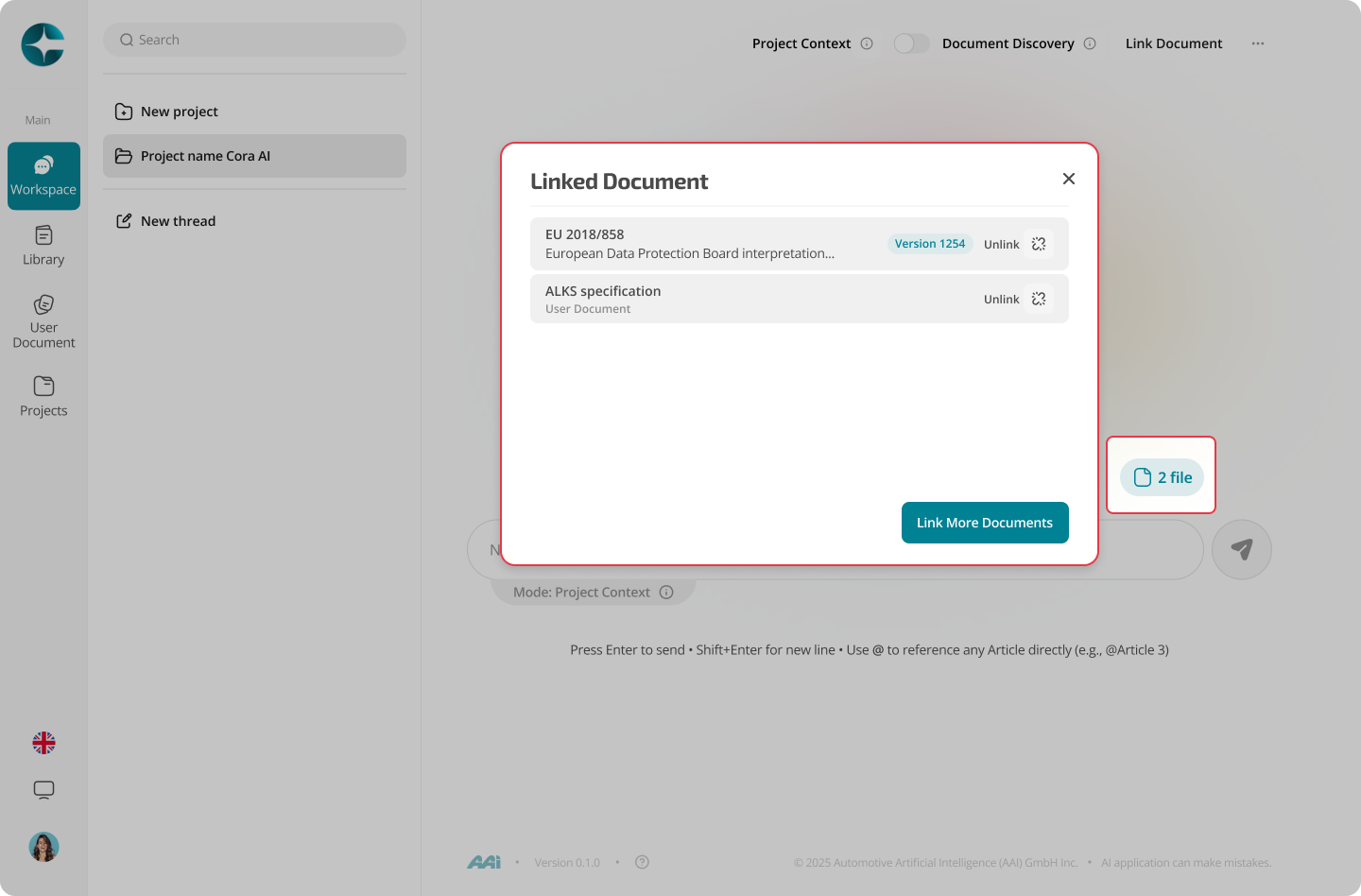
Link documents from the link doc panel in Project
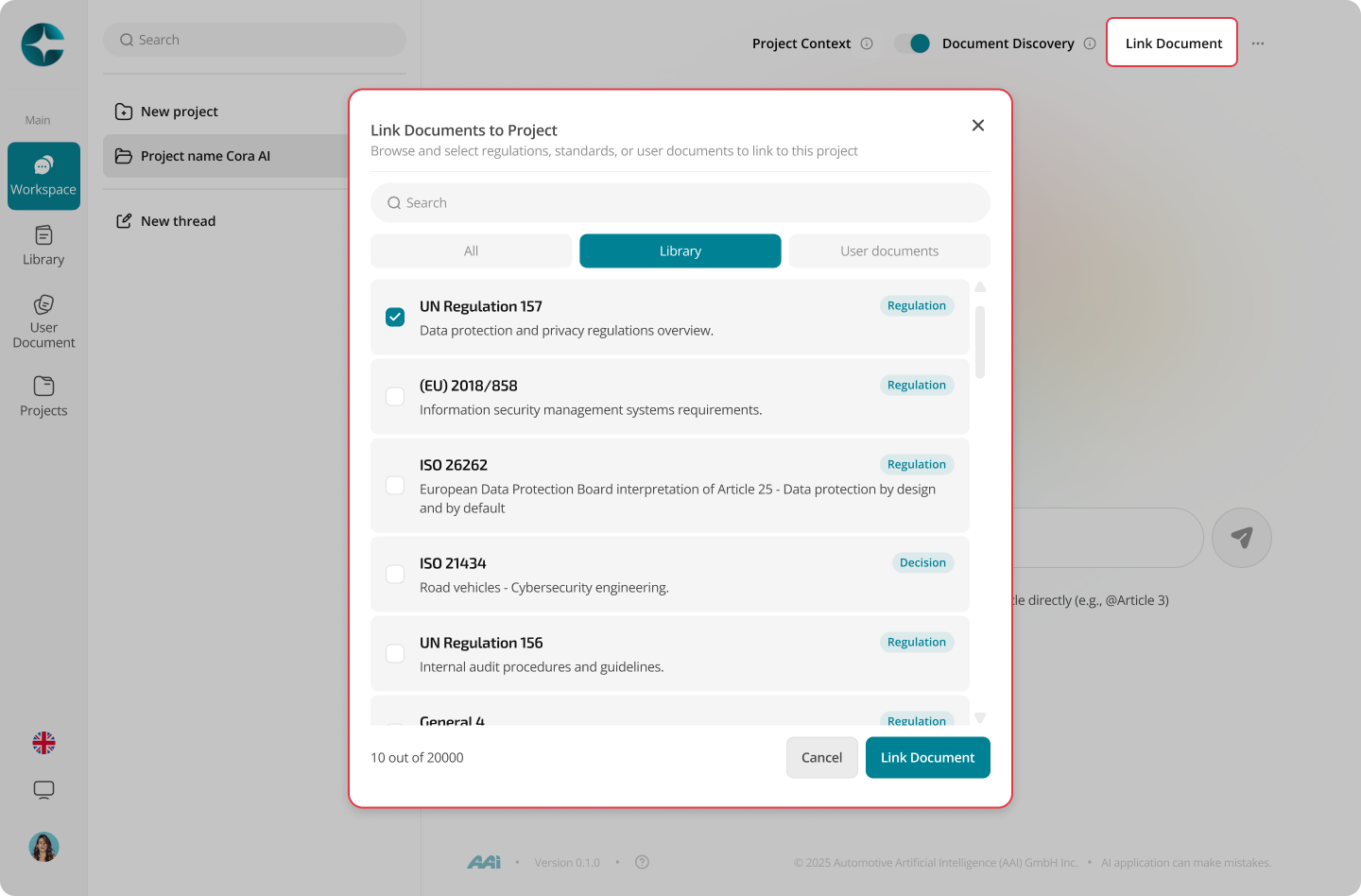
- Open the project
- Select Link documents
- Choose one or more documents from the Library or User doc
- Confirm to link them
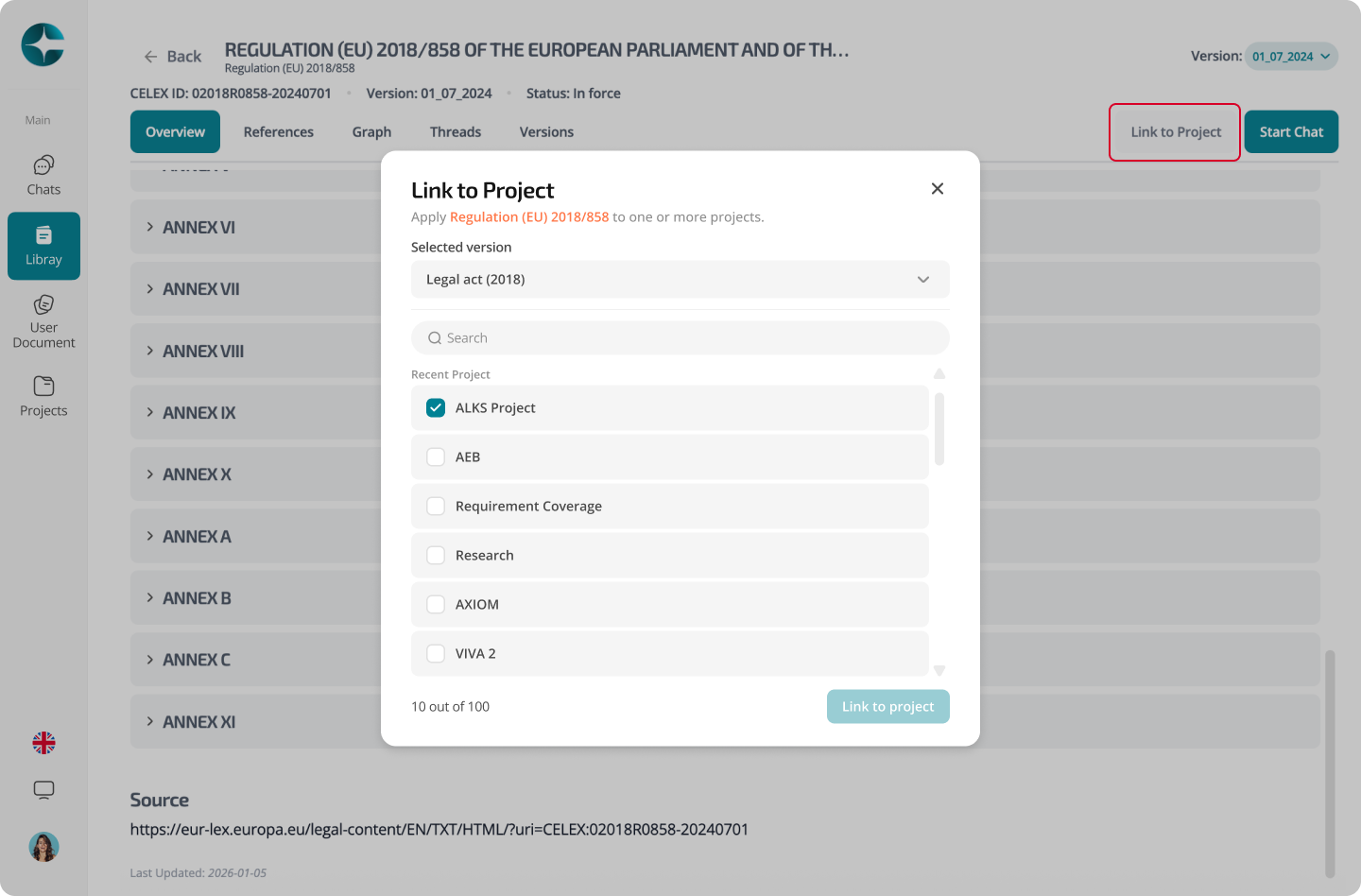
Link documents from Library or User Document Overview page
- Open the Library or User Doc
- Select View
- Select Link to Project
- Confirm to link them
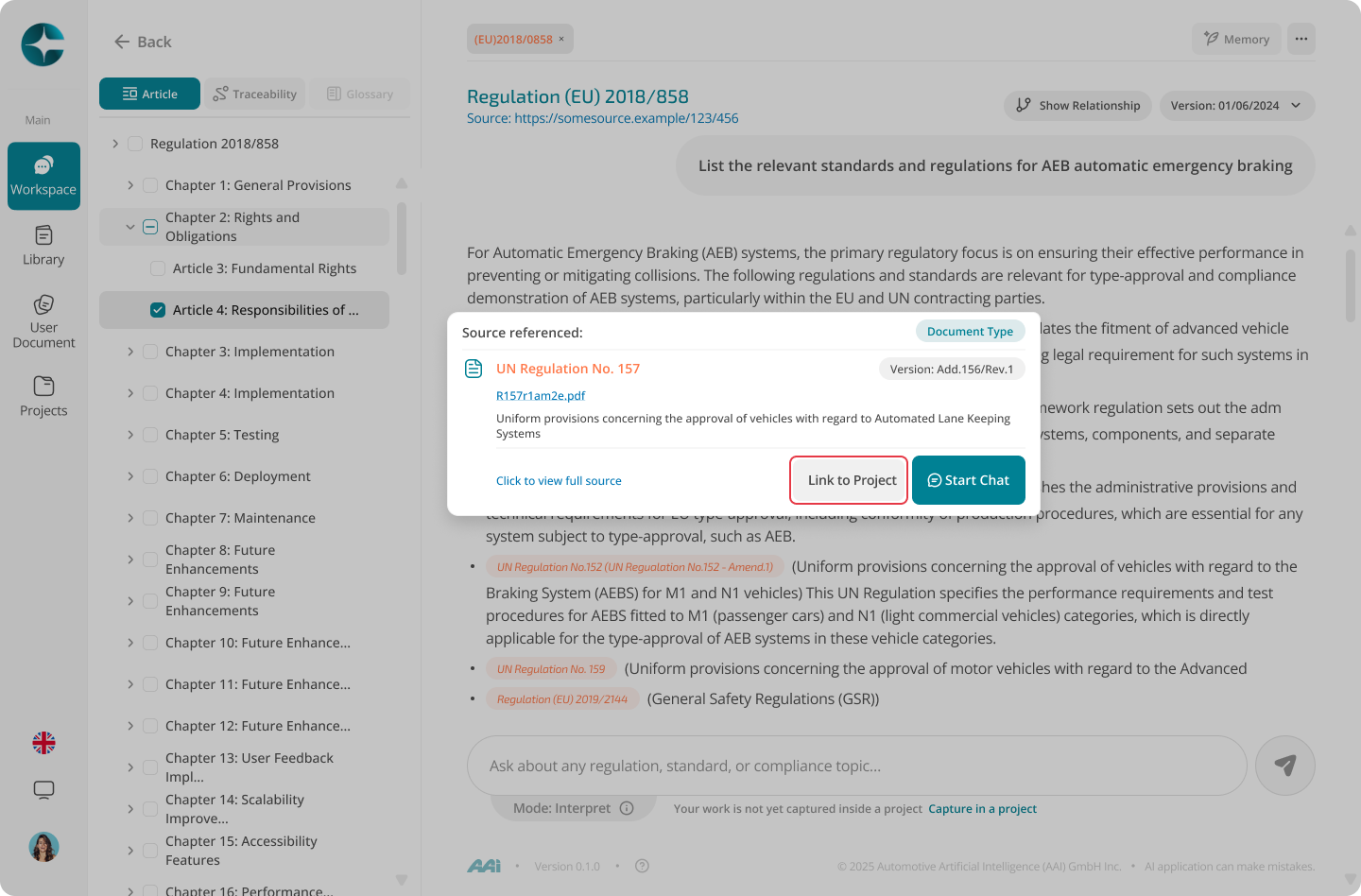
Link documents from citations
You can link documents directly while chatting.
When a citation appears:
- Open the referenced document
- Attach or link it to the current project
Note
Once documents are linked, Project Context threads can use them together to produce grounded, multi-document answers.
Next: Project Modes