Upload and Manage User Documents
User Documents are your uploaded files, such as internal specifications, supplier documents, reports, or other supporting materials. You can view them and chat with them inside CORA.
Upload a document
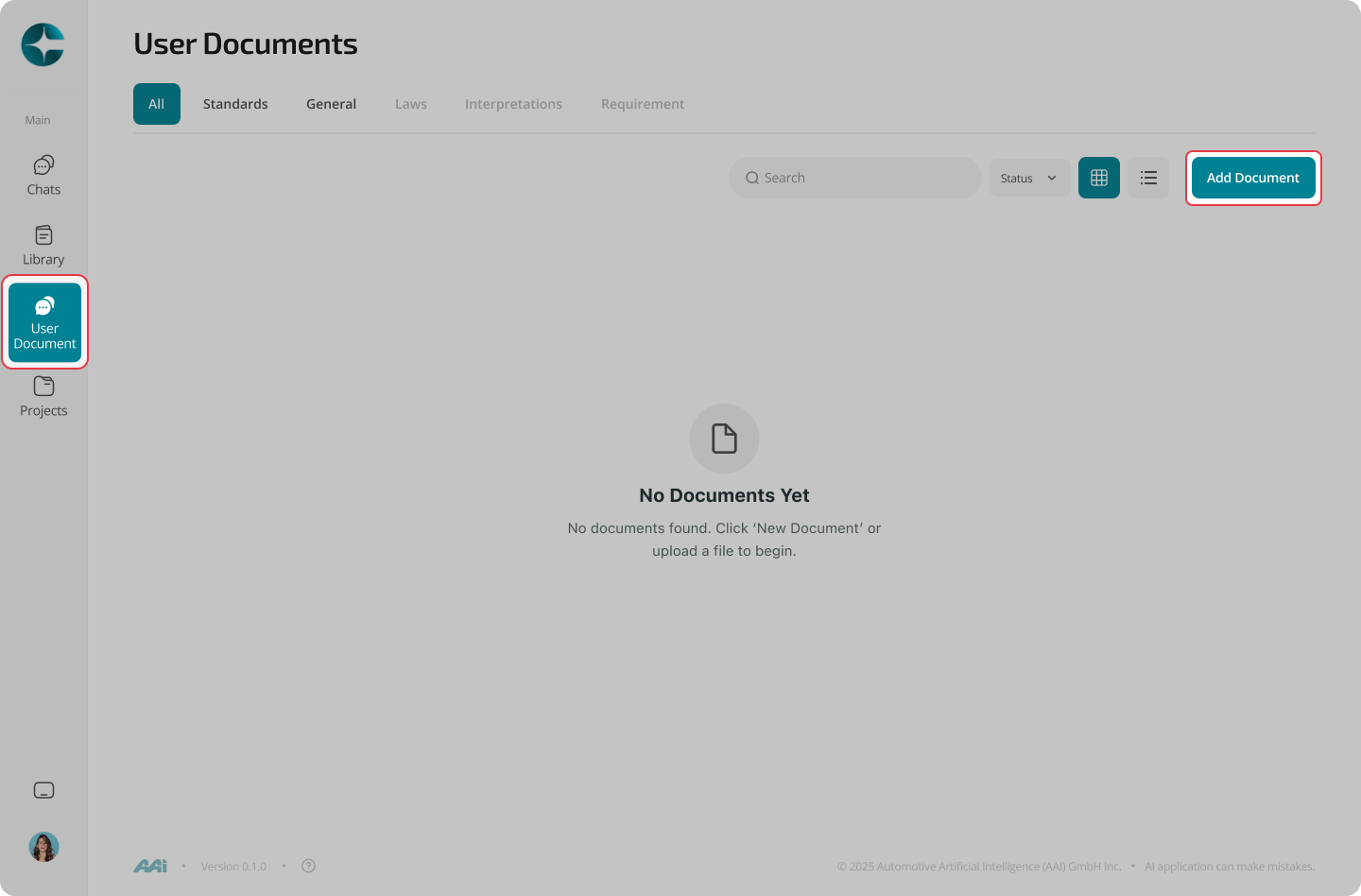
- In the left navigation, select User Documents
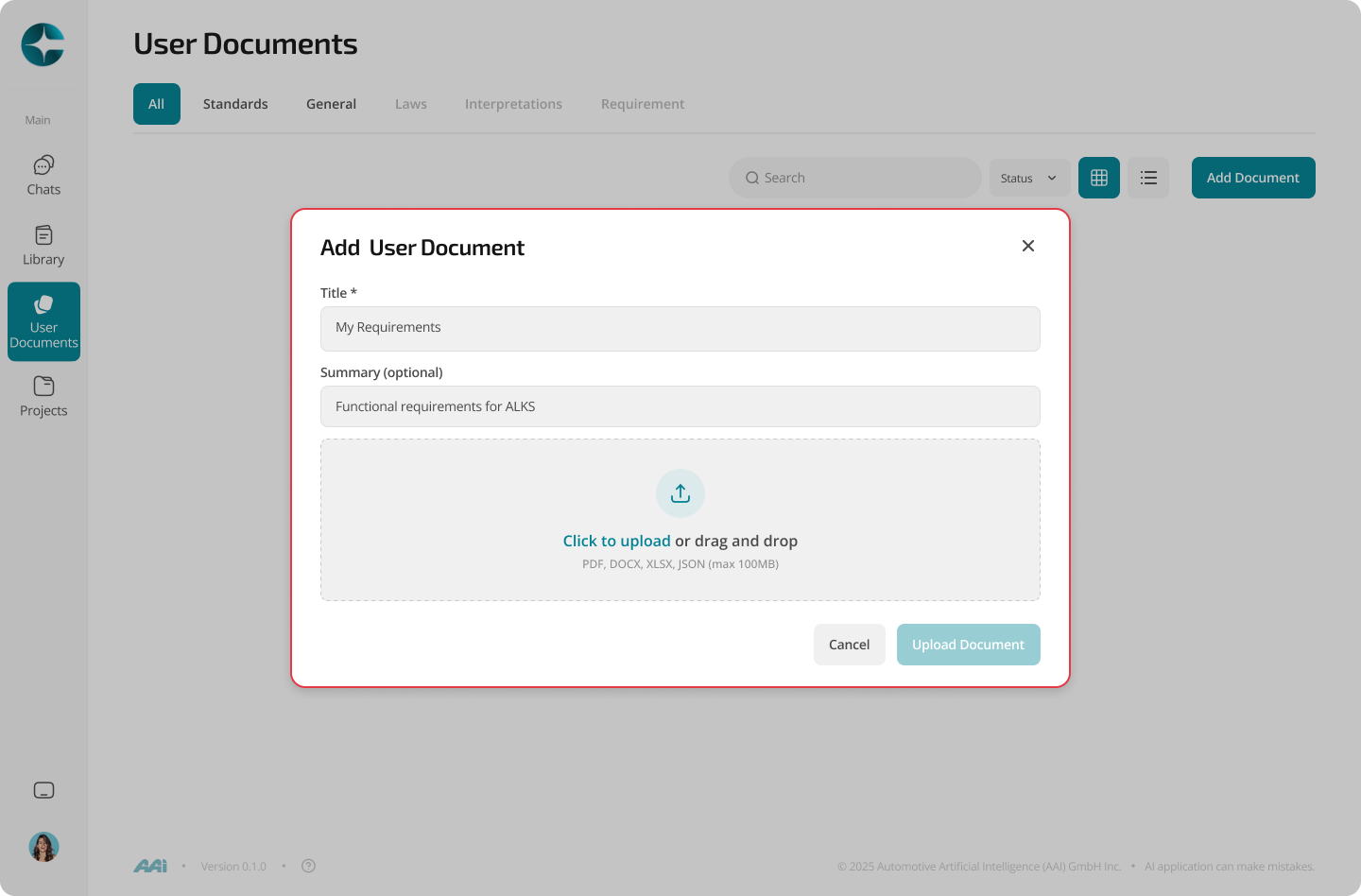
- Select Add document
- Choose a file from your computer
- Confirm the upload
After upload
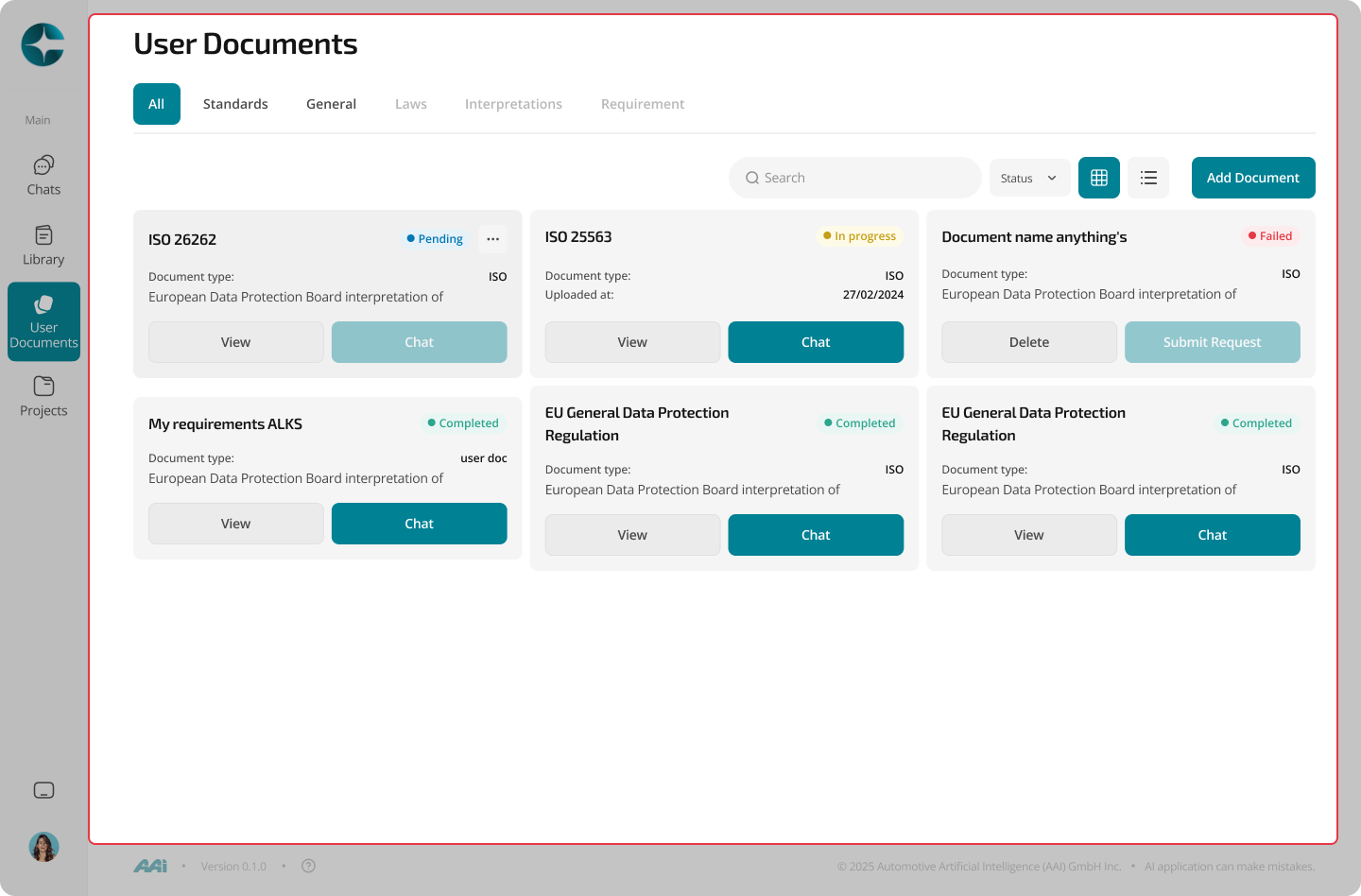
Once processing is complete:
- The document appears in your User Documents list
- You can open it for viewing
- You can start a chat grounded in that document
Note
Upload and processing times depend on file size and format.
Continue to: Chat with a User Document