Notes
Notes let you capture important findings inside a project and keep them traceable to source content.
Create a note from highlighted text
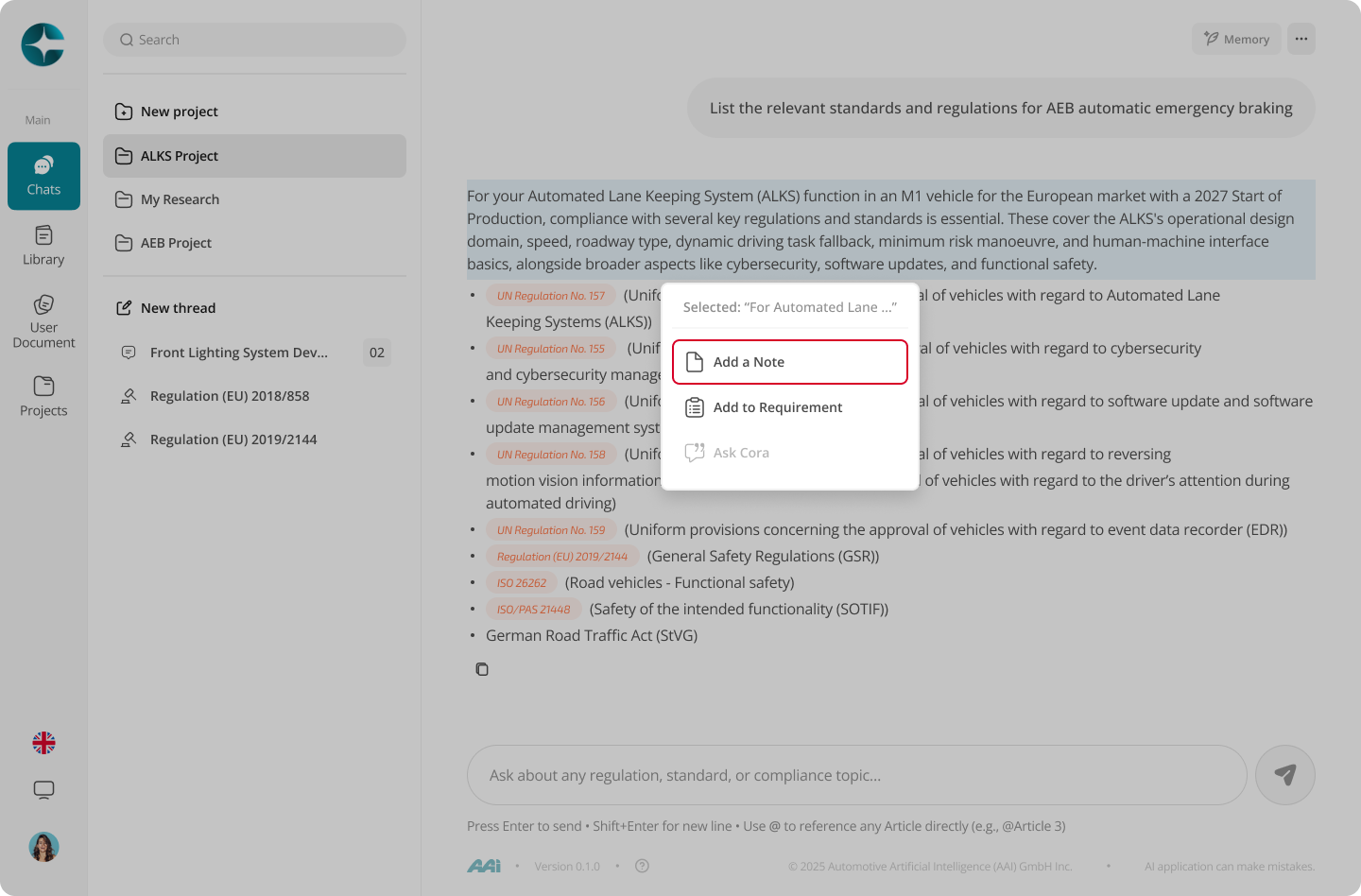
- Open a document or a cited section
- Highlight the relevant text
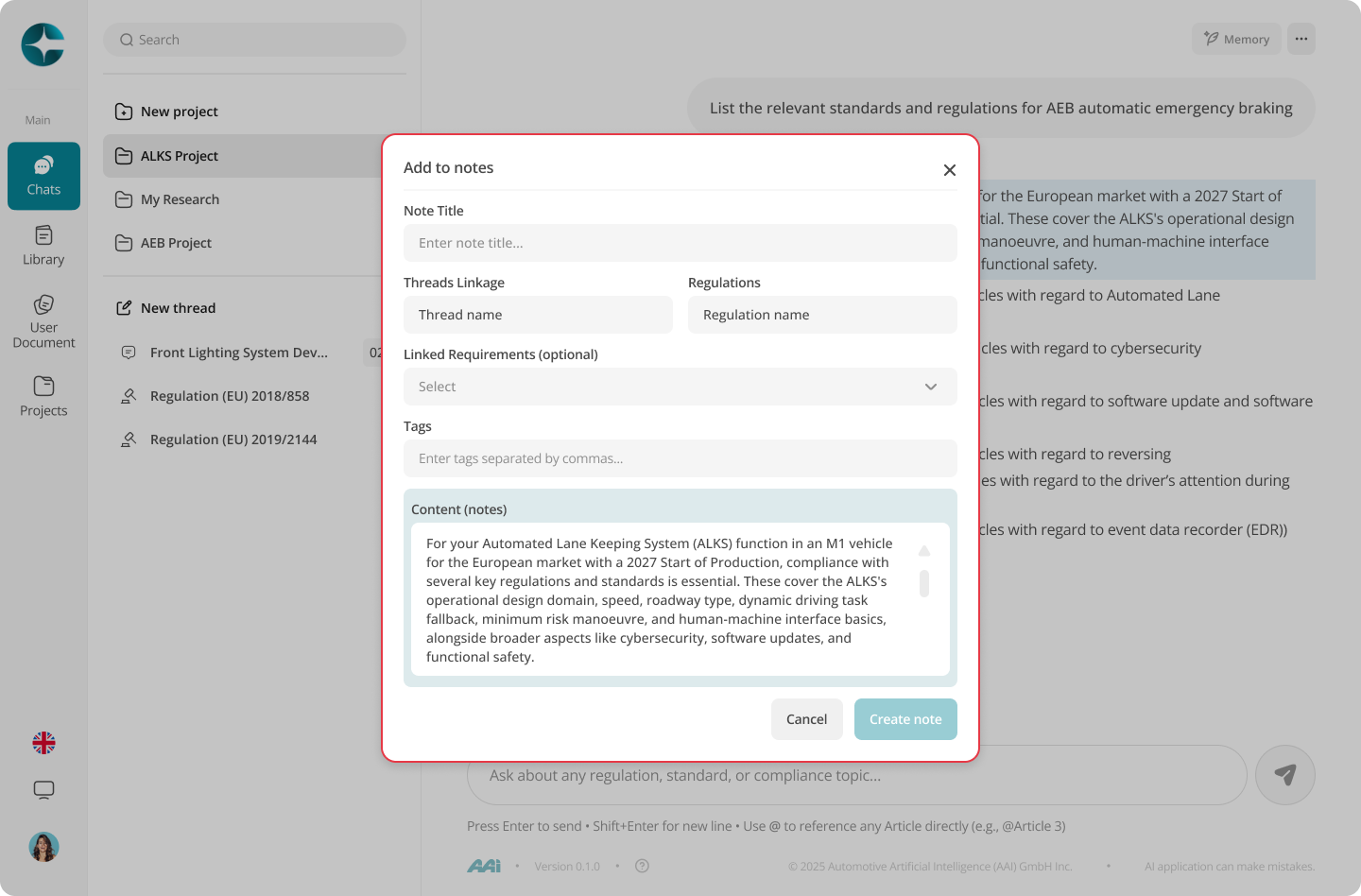
- Select Add note
- Save the note
Where notes live
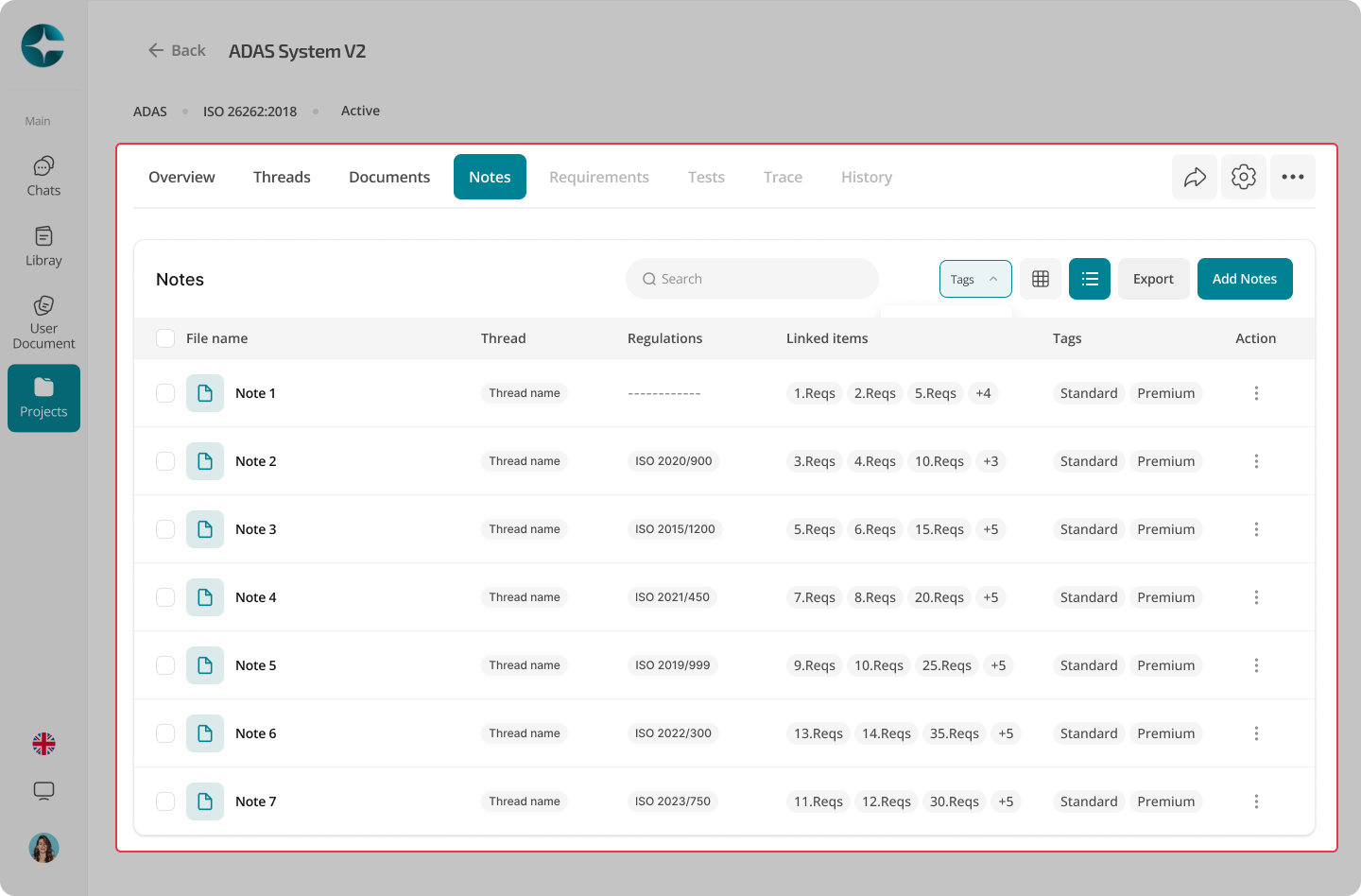
Notes are stored within the project and can be revisited, reviewed, or updated later.
Create a manual note
- Open the project notes area
- Select New note
- Write your note and save it
Note
Notes are most valuable when they capture not just what the text says, but why it matters and what it impacts.
Next: Requirements