Interpret Mode
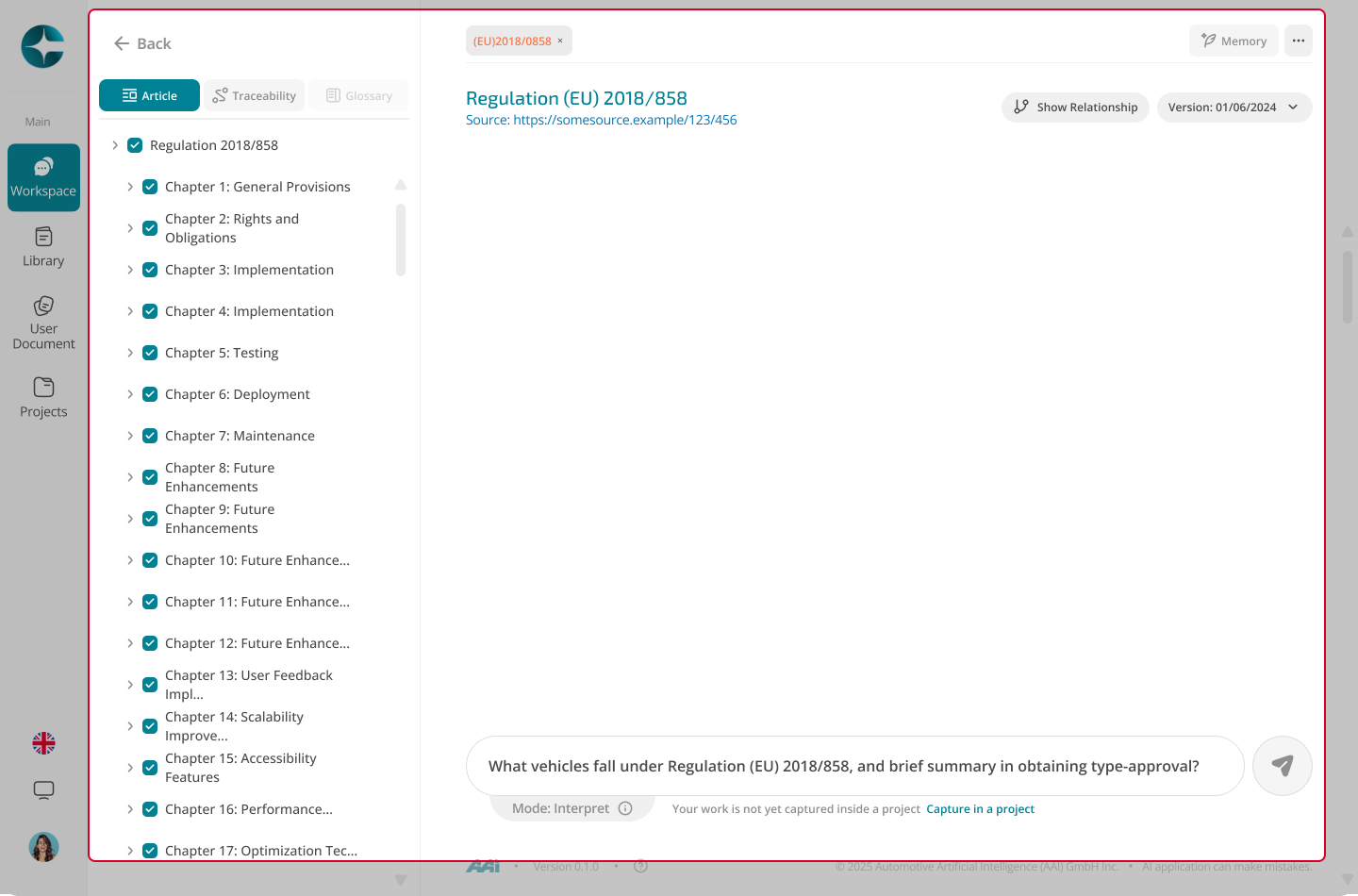
Interpret mode is used when you need precise answers grounded in one specific document version. All responses remain anchored to the selected source and its structure (articles, sections, annexes).
When to use Interpret
Use Interpret when:
- You already know which regulation, standard, or document you want to work with
- You need version-locked interpretation
- You want clause- or article-level answers with exact citations
- You want to avoid mixing multiple documents or scopes
Interpret is about precision, not discovery.
Start Interpret mode
You can enter Interpret mode in two common ways.
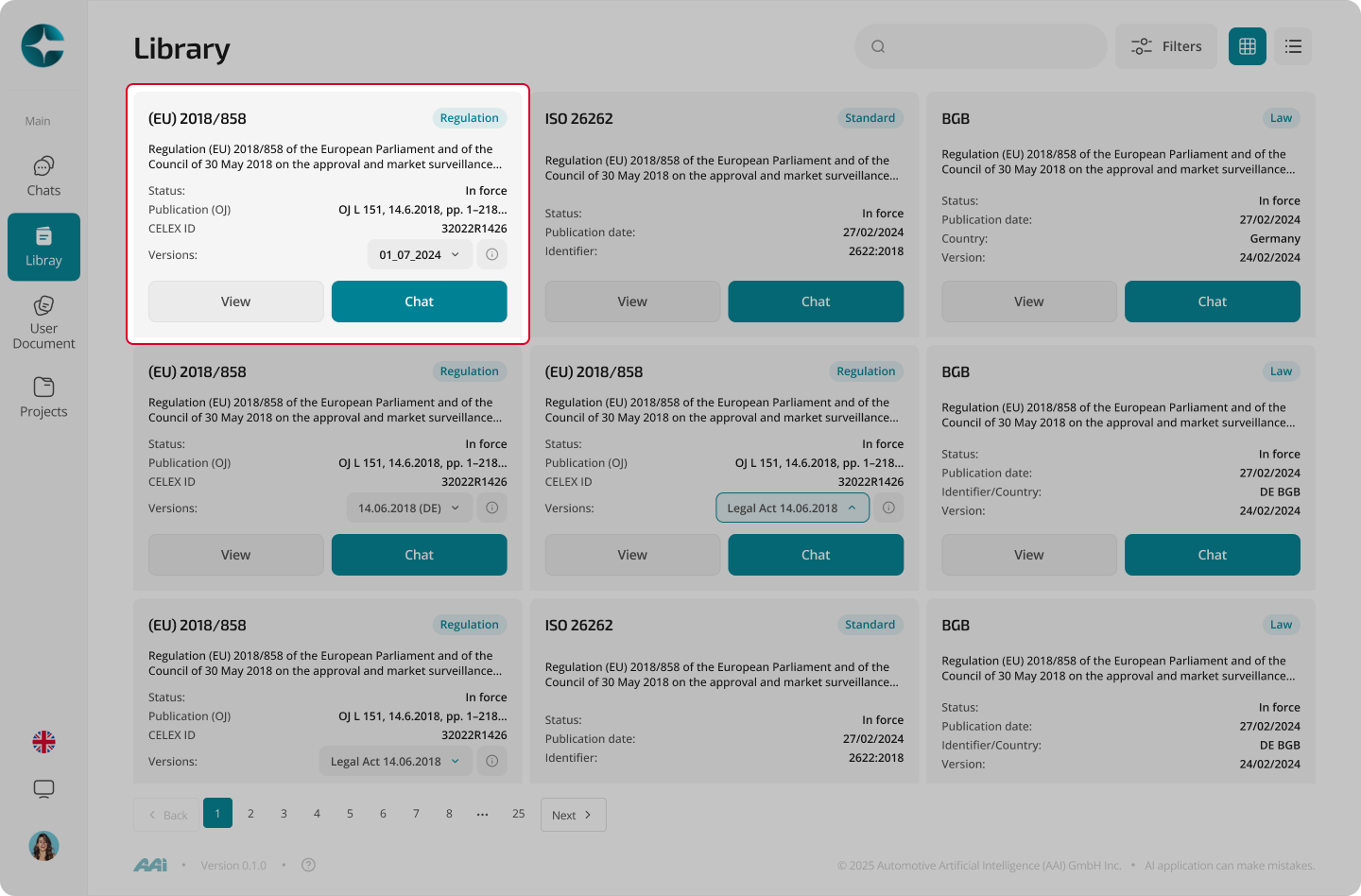
From the Library
- Open Library
- Select a document
- Choose a specific version
- Start a chat
From Explore
- Open a cited document in a sub-tab
- Start a new chat from that document to continue in Interpret mode
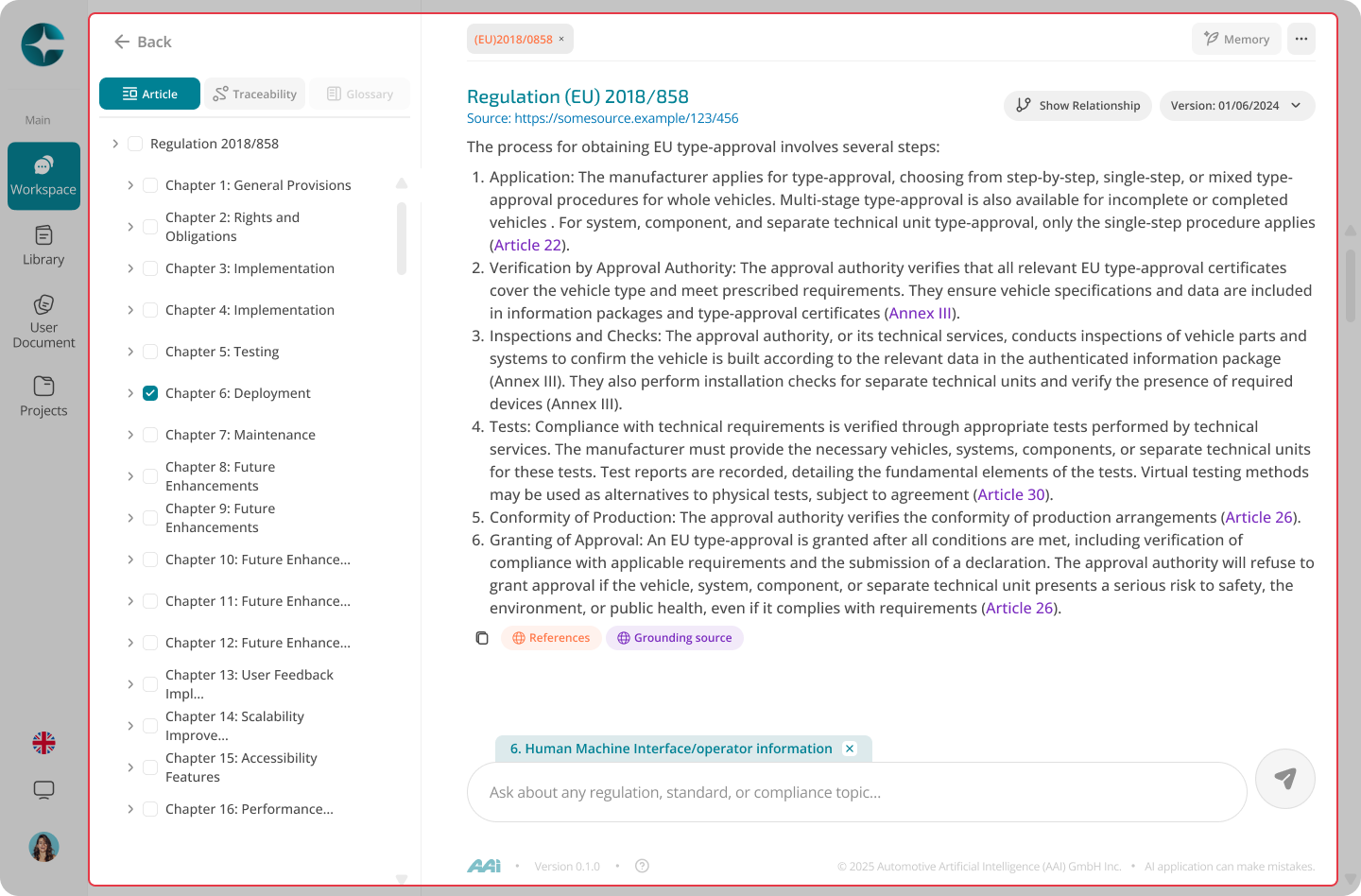
Article focus (limiting context)
You can further narrow the context by opening a specific article, chapter, or section.
When article focus is active:
- Subsequent questions stay limited to that scope
- Answers become more precise and targeted
- Citations reference only the focused section
What you see in Interpret mode
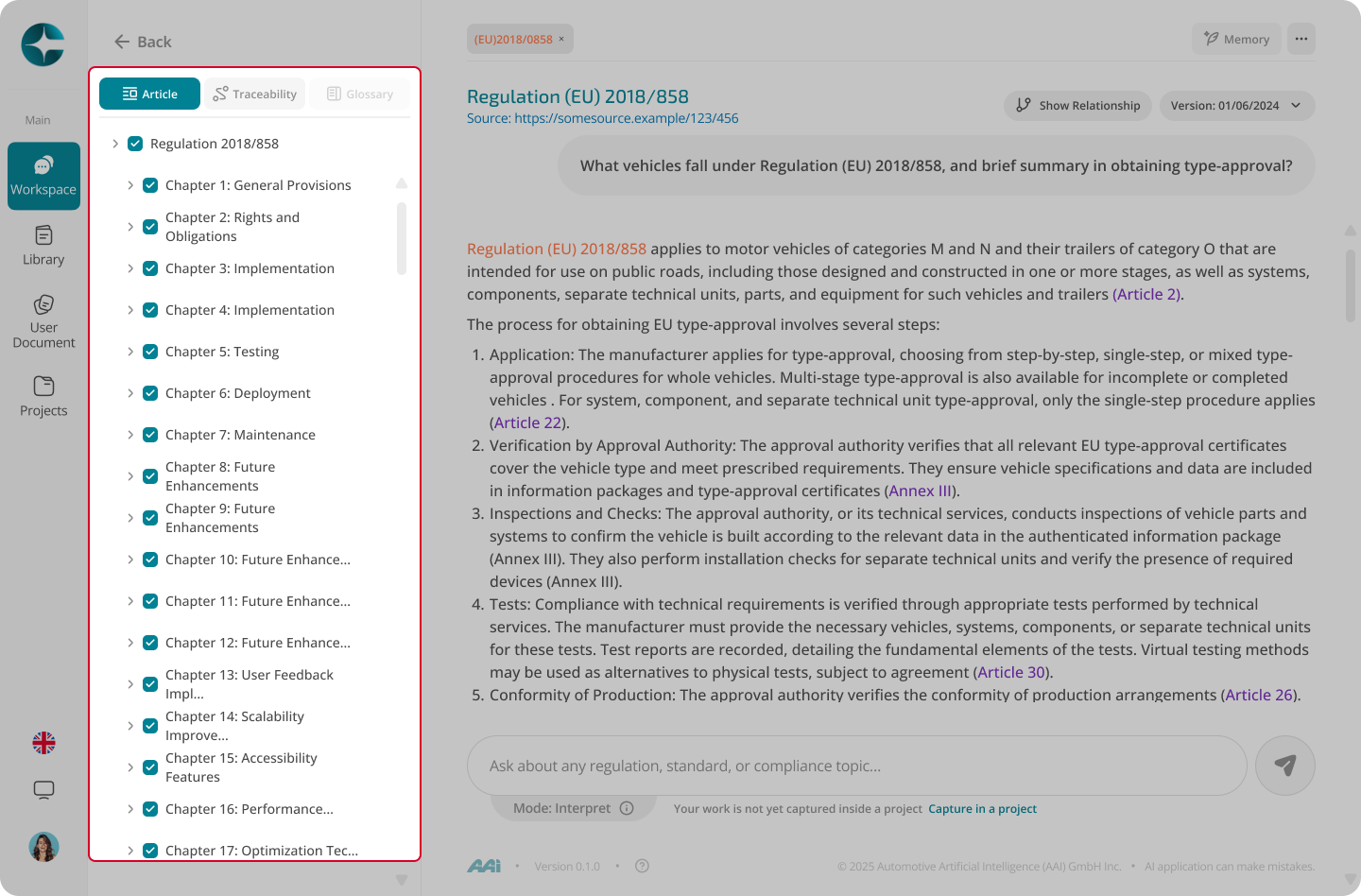
Interpret mode provides a document-anchored workspace:
-
Document structure panel
Navigate articles, chapters, sections, and annexes -
Document-anchored citations
Answers cite exact locations within the selected version -
Grounding sources
See which parts of the document were used to generate each answer
Next step
When you need to reason across multiple documents or preserve outputs: