Explore Mode
Explore is CORA’s discovery mode. Use it to quickly identify what applies to your scenario and navigate to the right regulations, standards, and sections.
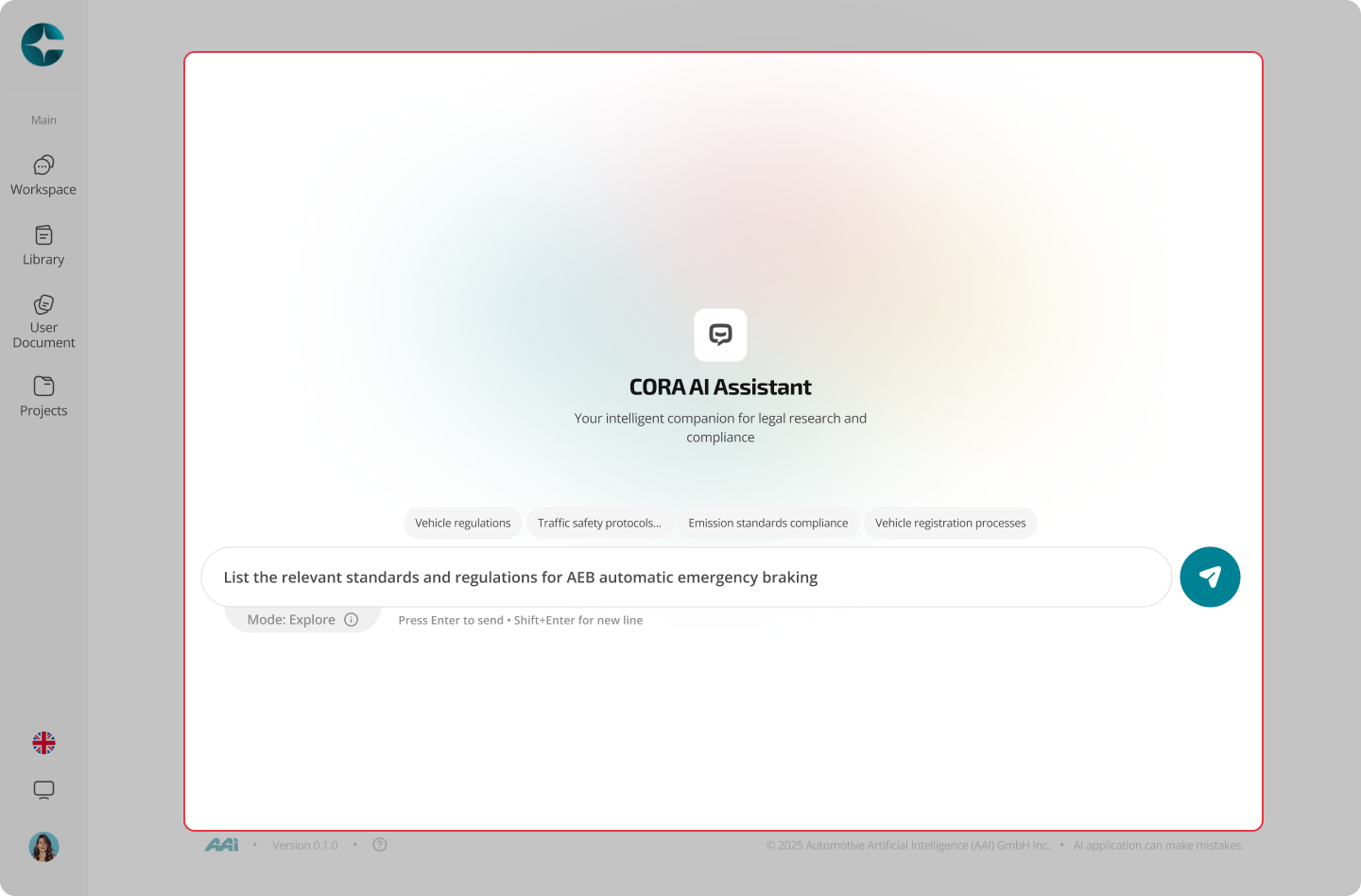
When to use Explore
Use Explore when you need to:
- Identify which regulations and standards are relevant to a use case
- Get an initial map of key topics, sections, and referenced sources
- Move quickly across documents by following citations and references
Explore is the right starting point when you are still scoping and orienting.
What Explore does (and does not do)
What Explore is best at
- Discovery across the library (broad scope)
- Fast navigation using citations and references
- Helping you decide which document(s) to analyze in detail
What Explore is not for
- Clause-by-clause interpretation of a specific document version
- Final compliance decisions without narrowing scope
- Multi-document project work (use Compliance Projects / Project Context)
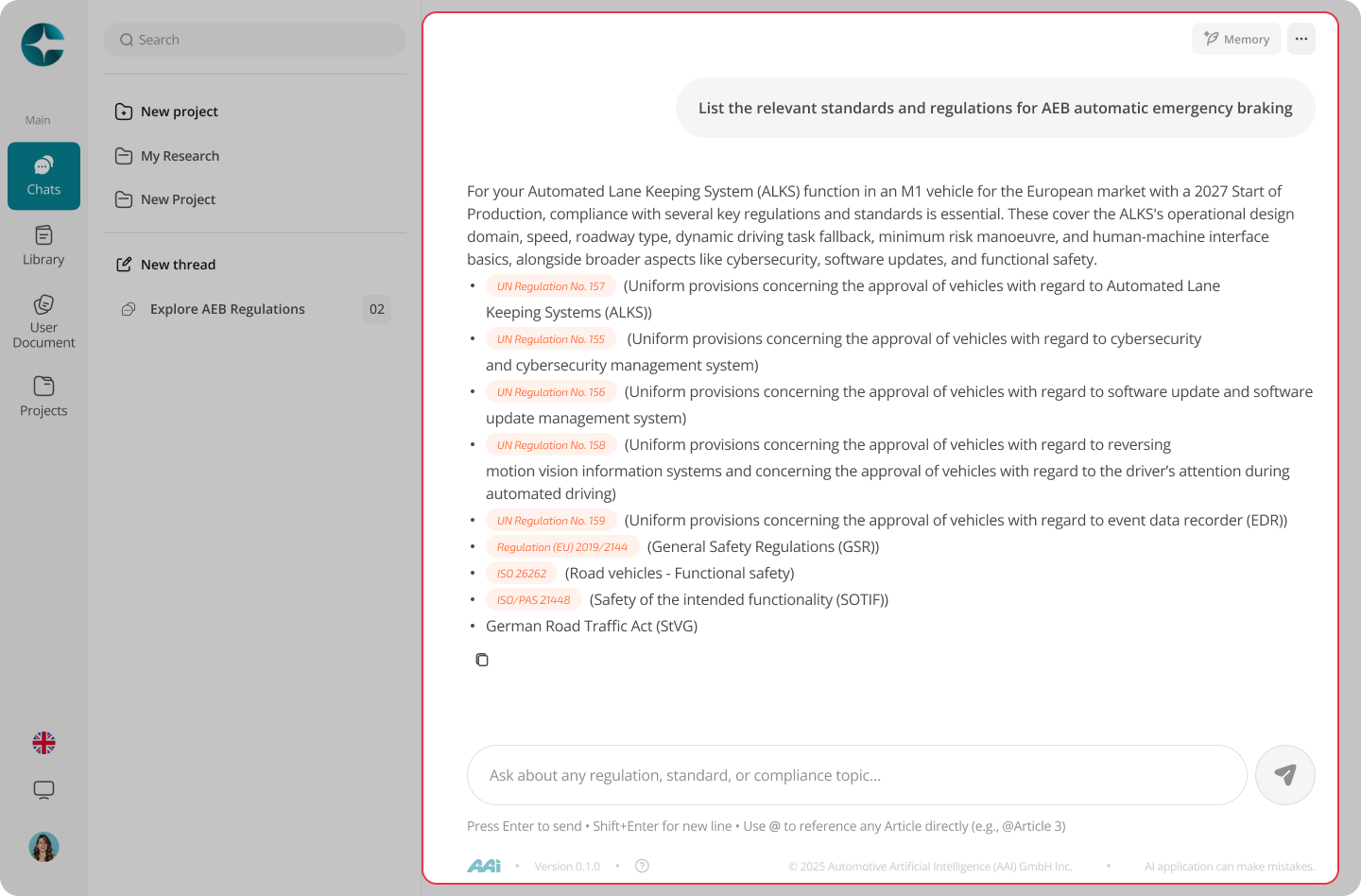
Citations and navigation
Explore responses include inline citations that point to the sources used.
From a citation, you can: - Open the referenced document in a sub-tab - Navigate directly to the relevant section, article, or annex - Follow references to related regulations or standards
Citations are designed to help you navigate, not just verify.
To understand citation formats and traceability in detail, see:
- Citations & Traceability
Typical workflow
- Ask a scenario-based question
- Review the answer and inline citations
- Open a citation to inspect the source text in a sub-tab
- Follow references as needed to expand context
- When precision is required, switch to Analyze (Interpret) by selecting a specific document/version
Standard flow: Explore → Open citation → Analyze (Interpret)
Next step
Once you have identified the right source, move to version-locked interpretation: